

Efficiently declutters hard drives by identifying and removing duplicate or outdated files
Efficiently declutters hard drives by identifying and removing duplicate or outdated files
Vote (3 votes)
Program license Free
Developer Bluesan
Version 2.4
Works under Windows
Vote
(3 votes)
Developer
Bluesan
Works under
Windows
Program license
Free
Version
2.4
Pros
- Highly accurate duplicate detection using byte-by-byte comparison
- Customizable scan filters and criteria for targeted searches
- Recovery feature reduces risk of accidental data loss
- Efficient operation with modest system resource usage
Cons
- User interface is basic and lacks visual polish
- No built-in cloud or network drive scanning support
- Advanced features might require a brief learning period for new users
Quickly scan, identify, and remove duplicate and outdated files with ease
Comprehensive Duplicate File Management
WinDeDup is a Windows utility designed to help users efficiently manage duplicate and obsolete files on their hard drives. By leveraging advanced file comparison methods, the software aims to reclaim lost storage space and enhance system performance. It offers a robust set of features suitable for both novice and experienced users seeking streamlined file organization.
In-depth File Detection Capabilities
WinDeDup utilizes byte-by-byte comparison to scan selected directories, ensuring that duplicate files are detected with high accuracy. This method allows the software to recognize identical files even when filenames or extensions differ. The inclusion of filters based on criteria such as file creation date, last accessed date, and frequency of use helps differentiate between valuable documents and potential clutter. Users can fine-tune search parameters, resulting in customizable scans that prioritize specific folders or file types.
Flexible Removal and Recovery Features
After a scan is complete, WinDeDup provides clear, actionable reports listing found duplicates and obsolete files. Users have the flexibility to select which items to remove and which to retain. The built-in recovery option acts as a safeguard, enabling restoration of recently deleted files should mistakes occur during cleanup. This minimizes the risk of accidental data loss and provides peace of mind during large-scale file management tasks.
User Interface and Performance
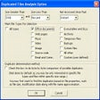
The interface, while minimalistic and straightforward, places functionality at the forefront. Controls and settings are logically arranged, making navigation simple even for first-time users. Despite the UI's utilitarian appearance, operational speed is notable, with scans completing swiftly even on large directories. System resource usage is modest, ensuring that performance remains stable during operation.
Overall Assessment
WinDeDup stands out as a practical and dependable solution for decluttering Windows systems. Its precise file detection, detailed criteria options, and protective recovery tools make it a valuable asset for users aiming to optimize disk space. While the visual design may not appeal to those seeking a more modern interface, the software's reliable performance and thoroughness offer considerable benefits.
Pros
- Highly accurate duplicate detection using byte-by-byte comparison
- Customizable scan filters and criteria for targeted searches
- Recovery feature reduces risk of accidental data loss
- Efficient operation with modest system resource usage
Cons
- User interface is basic and lacks visual polish
- No built-in cloud or network drive scanning support
- Advanced features might require a brief learning period for new users



